Sublimet

How to use cutting mats in Cricut Joy

Cricut Joy: How to choose the right mat

Cricut Joy cuts Smart Materials without a machine mat, but you can also cut a variety of other materials using a machine cutting mat. 

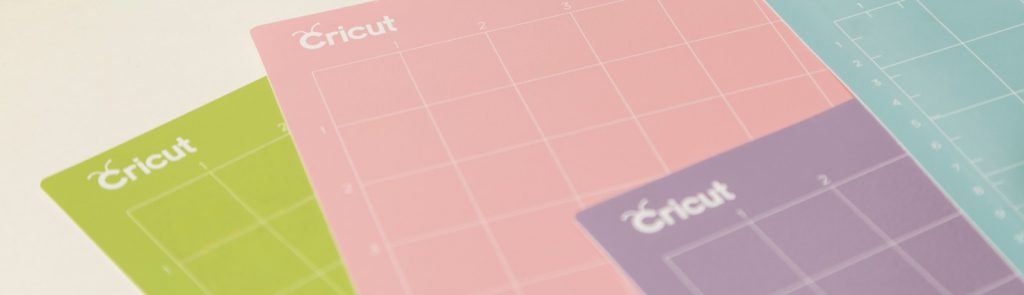
Machine mats have an adhesive area that features just the right grip to hold the material in place during cutting, then allow you to easily remove it when finished. With Cricut Joy, you can use a LightGrip, StandardGrip and Card Mat mat.

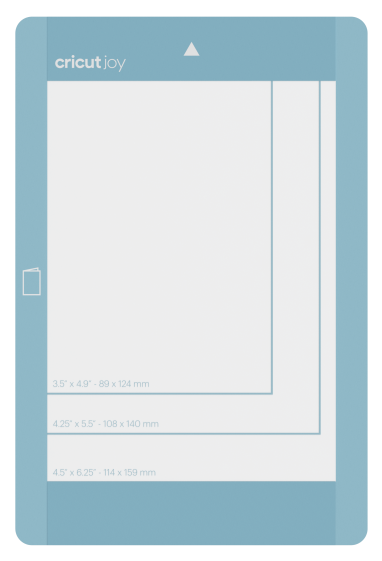
Card Mat

Card Mat is designed exclusively with a splitter to protect the back of folded Cricut insertion cards and cricut cutaway cards while cutting or drawing a design on the front. Learn more about using Cricut Card Mat.

Cricut Joy: Cómo elegir el tapete adecuado

LightGrip

LightGrip cutting mats for Cricut Joy are available in dimensions 11.4 cm x 30.4 cm (4.5" x 12"), and are perfect for use with light or medium weight paper, soft cardboard and vinyl.

StandardGrip

StandardGrip cutting mats for Cricut Joy are available in the dimensions 11.4 cm x 16.5 cm (4.5" x 6.5") and 11.4 cm x 30.4 cm (4.5" x 12"), and are perfect for use with materials such as vinyl, heat adhesive vinyl, thick cardboard, cardboard and remnants of Smart Materials that are too small to work without a mat.

Cricut Joy: Cómo elegir el tapete adecuado
Product added to wishlist
Product added to compare.