Sublimet
Rotary Blade for Silhouette Cameo 4

Rotary Blade for Silhouette Cameo 4

(5)
(0)

€29.95 Price excludes VAT

€36.24 Price includes VAT

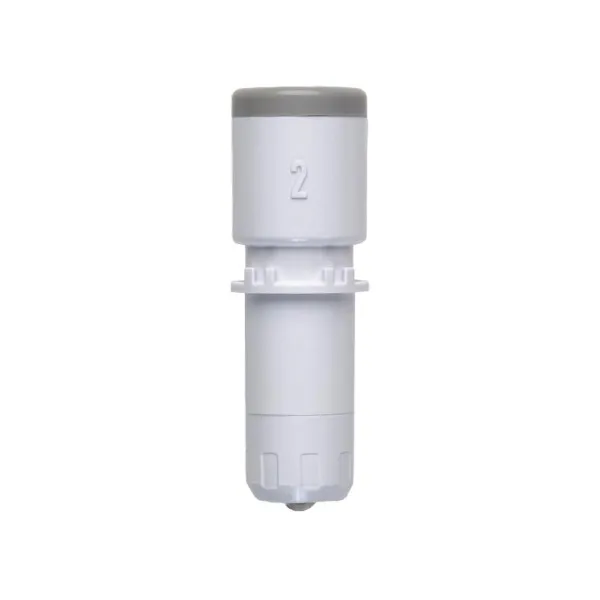
Rotary Blade for Silhouette Cameo 4 uses an alternative way of cutting by making the blade roll over the material. This allows you to cut a wide variety of specialty materials, including cotton, leather, felt, wool, and more, without a special stabilizing backing. When using the rotary blade with some materials it is recommended to use the strong tack cutting mat.

Features:

  • Cutting settings: the blade is detected automatically, the cutting depth is fixed.
  • Blade material: tungsten alloy (high performance).
  • Blade cutting range: 1mm (cannot be adjusted).
  • Cutting materials: cotton fabrics, leather, felt, wool and certain selected materials.
  • For cutting some materials it is recommended to use the strong tack cutting mat.
  • Compatibility: all Silhouette Cameo 4 series.
 

Instructions:

  1. The Cameo 4 plotter has a double carriage for blades. Place the rotary blade in the receptacle on the right (# 2).
  2. Press the latch to secure the blade.
  3. The blade is automatically detected.
  4. In the Silhouette Studio software, once the design is ready to cut, additional cut lines will be added to the design to facilitate turning the blade.
  5. Select the corresponding material in the cut settings options.
  6. To finish, send the job to the plotter.
Brand
Silhouette
Compatible Printers
Silhouette Cameo 4
079560055
Auto Blade for Silhouette Cameo 4 Auto Blade for Silhouette Cameo 4 2
  • Out-of-Stock
Out-of-Stock
Kraft Blade 3mm for Silhouette Cameo 4 Kraft Blade 3mm for Silhouette Cameo 4 2
Last items in stock
Pen holder for Silhouette Cameo 4 Pen holder for Silhouette Cameo 4 2
  • Out-of-Stock
Out-of-Stock

Write your review

Rotary Blade for Silhouette Cameo 4

Write your review

Customers who bought this product also bought:

Product added to wishlist
Product added to compare.