Shopping Cart
There are no more items in your cart



€19.59 Price excludes VAT
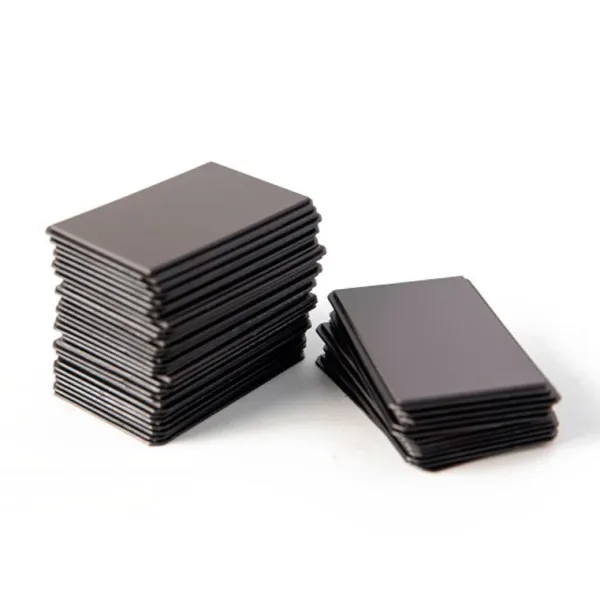
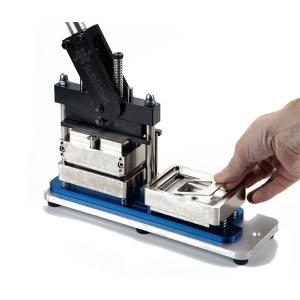
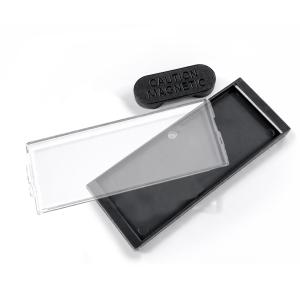
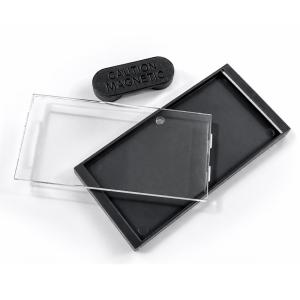
€23.70 Price includes VATThe Back side to magnets 78 x 53 mm (x100) is the back piece consumable for mounting the 78 x 53mm rectangular magnets. They are high-quality pieces to achieve a professional finish. Along with the front side and the corresponding polyester film, and using the Rectangular magnet and badge maker machine B-900S a custom magnet can be mounted in seconds.
Also purchased separately:
Fridge magnets are perfect for personal applications or for advertising campaigns.
They can be used as souvenirs for events such as weddings, baptisms and communions, or as travel souvenirs, photos of children or couples. They are also widely used in marketing campaigns, because they are always visible in the customers' fridge, they represent a permanent reminder of the brand and allow contact information to be always at hand.
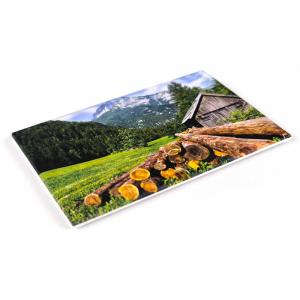
For correct assembly with the Rectangular magnet and badge maker machine B-900S, it is recommended to use paper with a weight between 80 and 120 g/m² when a polyester film is also used on the front side. Paper with a higher weight may add excessive rigidity to the assembly, affect the pressing process and compromise the final finish of the badge or magnet.
Due to the ease of printing the design and its quick assembly, they can also be used as souvenirs of tourist places, even with personalized photographs.






Machine Compatibility:
| Machine | Compatible sizes | Interchangeable Molds | Cutting tool | Badges | Magnets |
|---|---|---|---|---|---|
| B-900s | 78 x 53 mm | Paper punch-cutter rectangular | |||
| B-700 | Ø59 mm | Mold Ø59 mm | Paper cutter CM-500 | ||
| Ø50 mm | Mold Ø50 mm | ||||
| Ø38 mm | Mold Ø38 mm | ||||
| Ø31 mm | Mold Ø31 mm | ||||
| Ø25 mm | Mold Ø25 mm | ||||
| B-500 | Ø75 mm | Paper cutter CM-500 | |||
| Ø59 mm | |||||
| Ø50 mm | |||||
| Ø38 mm | |||||
| Ø31 mm | |||||
| Ø25 mm | |||||
| B-150 | Ø59 mm | Paper cutter CM-500 | |||
| Ø38 mm |
Compatibility according to Printable Area:
| Printable area | Machine | Cutting tool | Badges | Magnets |
|---|---|---|---|---|
| Ø25 mm | B-700 | Paper cutter CM-500 | ||
| B-500 | ||||
| Ø31 mm | B-700 | Paper cutter CM-500 | ||
| B-500 | ||||
| Ø38 mm | B-700 | Paper cutter CM-500 | ||
| B-500 | ||||
| B-150 | ||||
| Ø50 mm | B-700 | Paper cutter CM-500 | ||
| B-500 | ||||
| Ø59 mm | B-700 | Paper cutter CM-500 | ||
| B-500 | ||||
| B-150 | ||||
| Ø75mm | B-500 | Paper cutter CM-500 | ||
| 78 x 53 mm | B-900s | Paper punch-cutter rectangular |
Create custom magnets and badges: